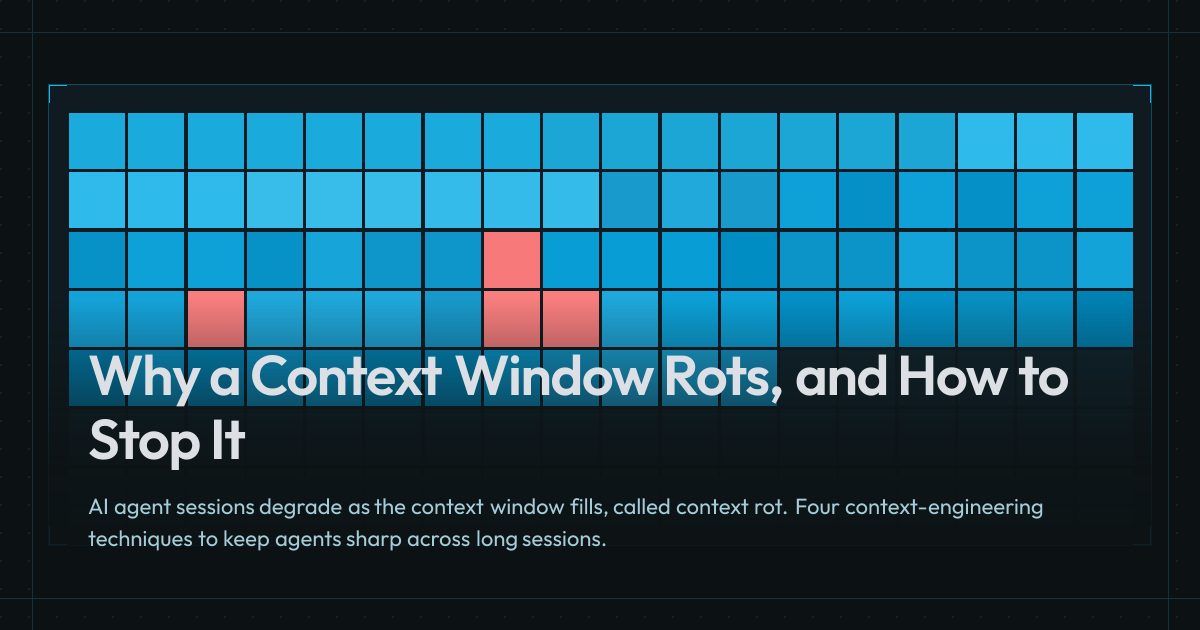
Push any AI session long enough and it starts to degrade. Responses miss details you mentioned earlier, fixate on something the conversation moved past, or simply start getting dumber. Not to mention slower responses and increasing costs that eat into your usage limits faster.
Two things shape every response you get when interacting with AI: the underlying model, and the content that fills its Context Window, which includes the system prompt, tool definitions, project instructions, your messages, attached files, every tool result the session produces. Context Engineering is the practice of managing that content to keep an agent effective as the work progresses.
The Context Window
Visualization: A context window fills from empty through system, tools, project context, and conversation turns, then morphs into quality, attention, and latency-and-cost curves showing how utilization degrades model behavior.
How the Context Window Is Used
Every model has a fixed-size context window measured in Chunks of text that a model processes. A token maps to roughly 3/4 of a word in English prose. Code and non-Latin scripts use more tokens per word.. Most frontier models currently support 200K to 1M tokens, with some supporting even more.
The window is never really empty. The application or The application layer that wraps a model and makes it functional. Claude Code, Cursor, and Aider are all harnesses. The harness runs the loop, constructs the system prompt, and manages tool calls. ships a system prompt and tool definitions (like web search, file reads, memory recall), loaded before you send the first prompt. For example, Claude Code’s system prompt and built-in tools come to around 17K tokens depending on version and settings.
On top of that, user and project instructions (i.e., AGENTS.md/CLAUDE.md), installed plugins, and Model Context Protocol. An open protocol for connecting AI agents to external systems. An MCP server exposes three primitive types: tools the agent can invoke, resources it can read, and prompt templates it can reuse. server tool catalogs are all loaded into the context window. A single MCP server can ship tens of thousands of tokens of tool definitions, which can push a fresh session past 60K tokens before you’ve sent your first prompt.
Your first message lands, maybe with a few files or directories attached. The model reads the attached content and makes more tool calls and file searches based on the request. The results of all these operations pile up into the window.
What Happens As It Fills
Each tool call, result, file, and turn adds to the pile. The context window holds the session’s history and feeds every new response. What’s in it shapes what comes next.
As more turns land, the window continues to fill up. On every step, the model reads the full window in order to generate the next token, each conditioned on every token before it (if you’re interested in how that works in detail, check out my LLMs 101 article). And the fuller the window, the more it impacts the output’s latency, cost, and most importantly, quality.
The quality degradation can be more steep depending on what’s in the context. The model reads the whole window on every turn, so both the length of the input and the quality of what’s in it drag on the output. Irrelevant content takes up space without contributing to the task, and misleading content acts as a distractor that pulls the model off course. Distractors show up as failed tool calls, stale docs, tangents the conversation already moved past, or an earlier wrong answer the user corrected. That decline is called context rot[1]Context Rot: How Increasing Input Tokens Impacts LLM PerformanceView source →.
Attention isn’t uniform across the window either. Researchers found that models retrieve information from the middle of the window less reliably than from the start or end, a result they named Lost in the Middle[2]Lost in the Middle: How Language Models Use Long ContextsView source →. This means the model tends to focus more on the beginning of the context window (system prompt, tool definitions, the prompt that kicked off the session), and the end (your last few messages and the thing the agent is actively working on). Newer long-context models have narrowed the effect, but they haven’t erased it.
Latency and cost both scale with context size. Providers bill by the token and every token in the window feeds every new generation, so a fuller window means slower and more expensive responses.
Caching softens both. Providers discount cache hits anywhere from 50% to 90%, and they return faster too. But caches can still miss for a variety of reasons (like going cold after a few minutes), and a growing window still eats your usage limits regardless. Caching reduces cost and latency, but it doesn’t fix what’s in the window.
Visualization: A baseline context window fills with task detritus and distractors, then a cleaner with-subagents window appears alongside it; subagents fan out, hand back compact summaries, and total tokens are compared against the single-session cost.
How to Manage It
Working effectively with AI agents means curating the context window. Every problem above traces back to the same root. The context window is finite real estate, and what’s inside it shapes every response you get.
The decision that matters on every turn is what does and doesn’t have to be in front of the model in a given step. The four techniques below are four ways to act on that decision.
Delegate With Subagents
Working through a task, the An autonomous LLM-driven system where the model decides its own next step (call a tool, read a file, write code), reads the result, and picks the next action. reads files, runs searches, executes debugging commands. Each detour stacks tool calls and results into the window. By the time the next step arrives, most of what’s in front of the model is leftover work from earlier steps, and a few of those leftovers actively pull attention away from the goal.
There’s another way to run the same work. A subagent is a second run of the model with its own fresh context window. The work that would have crowded the main agent gets handed to subagents instead, each scoped to a single task (research, exploration, debugging). The same shape also lets you divide a problem across subagents working in parallel, each with its full attention on one aspect of the task (e.g., dedicated code, security, and architecture review subagents looking at the same diff).
Each subagent works in isolation on its scoped task, seeing only what that task needs. The parent doesn’t carry the search results or tool calls, just whatever conclusion comes back.
The subagent’s prompt tells it what to return, usually a compact summary or a structured result the parent can act on. Many file reads or a multi-step debug session collapse into a few sentences or a verdict.
Each subagent starts fresh with its own system prompt, tool definitions, and catalogs. That setup adds up, so parallel subagents cost more tokens in total than doing the same work in a single session. For lightweight work (web searches, file scans), you can delegate to subagents running smaller, cheaper models and actually reduce costs. And once the subagents finish, only their summaries land in the main window, so follow-up turns in the main agent run cheaper than they would have inline. The catch is that each subagent works in an isolated context window. A finding in one that would have informed another doesn’t transfer, and the main agent has to reconcile what comes back.
Visualization: A parent context accumulates work, then splits into stage-scoped session windows that hand off written artifacts in a chain; progressive-disclosure panels show a minimal root pointing to skills, a CLI terminal substituting for a heavy MCP catalog, and a lookup that misses an external doc.
Externalize the Record
Agentic workflows often start by relearning what the last session already knew. The model burns turns mapping a codebase, surveying a library, or recovering context the previous run already paid for, because none of it survived in a form the next session could pull from.
The fix is to stage the work across separate sessions, each one writing its output where the next can pick it up. Ideation, research, planning, implementation, review: each is scoped to its own goal and hands off through a written artifact rather than a continuous session. This makes it easier to review and verify alignment, and gives you a record to reflect on if results aren’t as expected.
Producing externalized artifacts comes with an upfront investment, and you don’t get it back if the session didn’t need them. Plans and decision docs also rot, and a stale one misleads worse than no doc because the model has no signal that it’s out of date. The investment compounds when work returns to the same area, but for one-offs it’s overhead.
Load Detail on Demand
Even with records externalized, the window still carries system and project context before you type: AGENTS.md, skill and subagent descriptions, and MCP tool catalogs. Most of what gets loaded up front never gets used on any given turn, but all of it gets read on every turn anyway.
The fix is progressive disclosure, which keeps detail out of the window until the work needs it. A packaged workflow the agent loads on demand. Each skill lives in a directory with a SKILL.md file plus any scripts or reference files the workflow needs. The skill's name and description always sit in the context window so the agent knows it exists. The SKILL.md body loads only when the agent decides the skill is relevant, and bundled files load only when the body references them.[3]Agent Skills SpecificationView source → work this way out of the box, and your project context can too. A minimal AGENTS.md or CLAUDE.md keeps what’s always relevant in the root (conventions, primary architectural decisions, key commands), referencing skills and specialized docs for the rest. The root pays the per-turn tax while everything else pays only when the work touches it.
MCP catalogs face the same problem. Each connected server stacks its tool definitions onto every turn, and a tool-rich MCP can advertise tens of thousands of tokens before any work begins. The first move is to scope MCPs to the projects that need them rather than installing them system-wide. For tools that already ship a CLI, the CLI is often the cheaper alternative. gh --help returns the top-level command tree in a few hundred tokens, and gh <subcommand> --help pulls the specific surface only when needed, the same progressive-disclosure shape a skill uses for its body. GitHub’s MCP server, by contrast, adds 23K tokens of tool descriptions to every turn.[4]GitHub MCP Server: New Projects tools, OAuth scope filtering, and new featuresView source → Multiple MCPs stack their full catalogs on top of one another, while popular CLIs (like gh) are already in the model’s training data, so it can use them without reaching for --help for most use cases.
Descriptions, file names, and frontmatter decide what loads, and they have to be accurate enough that the right thing matches. When a description is too thin or too generic, nothing matches and nothing loads. The agent operates without the missing piece. A monolith is easier to write because there’s nothing to route. It just pays the full weight on every turn.
Visualization: A nearly full context window collapses its conversation band into a model-generated summary, where a question mark marks the detail lost to compaction. The window then rewinds to a checkered checkpoint, discarding the work after it, and forks into two windows that share the checkpoint but diverge into different downstream blocks.
Manage a Long Session
Even with records externalized and details loaded on demand, the window still fills with the work it’s doing now. Long enough into a session, most of the window is work the agent has already done, and the model still reads all of it on every turn. Managing a long session means acting on that accumulated history directly, and most harnesses ship with three primitives to help you do so: compact, rewind, and fork.
Compaction replaces the session history with a model-generated summary, keeping the thread of decisions and dropping the granular detail. Many harnesses auto-compact past a configurable threshold, often well past the point where the input has grown noisy. They usually fire mid-task, where the model can’t yet predict where the work is heading and the thread is most likely to drop. It’s best to avoid auto-compaction when possible. Manual compaction at a clean boundary with clear instructions on what comes next helps the model retain what’s relevant for the next step.
Compaction is lossy by design. The lengthier and noisier the input, the worse the summary, and the agent may lose the task constraints, the failed attempts, or the user corrections that shaped the current direction.
Sometimes a session makes a wrong turn that leads to a dead end, and compaction would only carry a summary of it forward. This is where session rewinding comes in. You roll the session back to an earlier checkpoint so you can start over from a known-good state. Most harnesses automatically checkpoint as you work, and some even capture code changes between checkpoints so you can revert the code alongside the conversation.
After rewinding from a dead end, you may want to explore multiple options in parallel before committing to one. This is where session forking comes in. Anytime during the session, you can create multiple branches and explore different approaches, or go on a side quest while the main session keeps working. If you’re actively changing the project’s code, parallel sessions will have your agents stepping on each other’s toes. Git worktrees fix that by giving each session its own working directory, so their changes stay isolated.
Context engineering itself is a moving target. Model architectures keep advancing, and agent harnesses are absorbing more of what you currently manage. They’re already shipping automatic subagent delegation, auto-memory across sessions[5]How Claude remembers your project - Auto memoryView source →, on-demand MCP loading[6]Connect Claude Code to tools via MCP - Scale with MCP Tool SearchView source →, and smarter compaction. The mechanics of context management are headed for the harness.
What doesn’t move is the judgment underneath. You know what you’re trying to do, the harness only knows what you tell it. Every technique in this article is just a way to keep that gap small, and that responsibility stays with you no matter how good the mechanics get.
References
- Context Rot: How Increasing Input Tokens Impacts LLM Performance — Chroma Research, 2025.
- Lost in the Middle: How Language Models Use Long Contexts — Liu et al., 2023.
- Agent Skills Specification — Agent Skills (open standard), 2025.
- GitHub MCP Server: New Projects tools, OAuth scope filtering, and new features — GitHub, 2026.
- How Claude remembers your project - Auto memory — Anthropic, 2026.
- Connect Claude Code to tools via MCP - Scale with MCP Tool Search — Anthropic, 2026.